Showing posts with label PlayStore. Show all posts

Audiobooks officially launched in Google Play Store

Audiobooks officially launched in Google Play Store

Google has announced the launch of the audiobooks in its Play Store. Although mostly known for hosting Android apps and games, Google Play is the search giant’s storefront for all of its content offerings like Movies, TV shows, Music, eBooks, and Magazines.
In a blog post today, Google revealed that audiobooks are rolling out today in 45 countries and nine languages. The audiobooks will be accessible to the users across Android, iOS and the web with Google Play Books, as well as on Google Assistant-powered devices, like the Google Home. However, the Google Assistant support will only work with English-language audiobooks right now. The Play Books app will also support casting of audiobooks on Chromecast as well as playback on Android Wear and Android Auto. The audiobook playback will also sync across devices, so you can just pick up where you left off no matter what device you’re using.
“With audiobooks on Google Play, you can turn your time stuck in traffic, on the treadmill, or waiting in line into reading time,” Google wrote in the blog spot.
Unlike Amazon’s Audible, which includes subscription as a key component, Google is going to sell individual audiobooks. According to Google, most of the popular titles are being offered for under $10 (at least for the time-being). For markets where Google currently offers Family Library, the users will be able to share their purchased audiobooks with other family members for free.
Google also notes that like eBooks, the consumers will be able sample the audiobooks before purchasing them by selecting the preview option.
To celebrate the launch of audiobooks in Google Play, the search giant is offering promotional pricing on many audiobooks. So, if you are into audiobooks, it will be a good time to grab a few for cheap.
Although India seems to among the supported countries, the audiobooks page us currently coming up empty for me in Google Play, but it may change in the few hours or by the morning.


Update: The legal view on VPN use in the UAE

Deal: Nova Launcher Prime on sale at only $0.99


Nova launcher is one of the best and widely used launchers on Android. It offers many customization options over stock launchers which come pre installed on any Android devices. But, there are some options such as gestures that are only available for Nova Prime users which normally costs $4.99. But, now it is on sale for only $0.99 / Rs.10.
nova launcher prime sale
Though the regular Nova launcher app is fully functional, there are some some functions which are only available for the Prime users as we said earlier. Such as gestures, hide apps, icon swipes and drawer groups. Thus, Nova launcher Prime is worth trying as it is now 80% off its regular price. There’s no information available regarding the period of this sale. Probably, it will be available at this price during the whole holiday season. Anyways, we would recommend you to grab it as early as possible before it’s too late.
In case you do not know, Nova launcher also has Android Oreo features which can be experienced on your non-Oreo smartphones or tablets. Such as dynamic app badges and adaptive icons. Moreover, you can also install any icon pack of your choice to create your own look as most of the icon packs support Nova Launcher.
So, what are you waiting for? Buy Nova Launcher Prime from the Play Store at only $0.99 / Rs.10 .


READ MORE :Xiaomi Redmi 5 Plus .

Google Assistant comes to Android tablets, Android 5.0 phones

Google Assistant


Google has announced that it is finally expanding the availability of its digital assistant to Android tablets. Google Assistant has until now been available on smartphones, smartwatches, smart speakers, Android TV and more.
According to the company, Google Assistant will be rolling out to the tablets running Android 7.0 Nougat or 6.0 Marshmallow over the coming week. It will initially only be available in the United States with tablets using English. There is no word on the availability in other markets at this point. Surprisingly, Google has failed to mention anything about the Google Assistant support on Pixel C, which the only Oreo-powered tablet right now. Still, I believe it will get the support with other Nougat or Marshmallow-powered tablets.
In addition to the expansion to the Android tablets, Google has revealed that it is adding the support for Android 5.0 Lollipop smartphones in the Assistant. It is likely that the RAM and display resolution requirements still stand, which means your phone will need to have over 1.4GB of RAM and at least 720p screen resolution.
Google Assistant on Android Lollipop-powered phones will first be available to the users with phone language set to English in the U.S., UK, India, Australia, Canada and Singapore, as well as Spanish in the U.S., Mexico and Spain. It’s also rolling out to users in Italy, Japan, Germany, Brazil and Korea.
To remind you, Google Assistant offers a number of features including the ability to set reminders, play music, make lists, get weather information, control smart home devices, send text or make calls and more.
The Google Assistant will automatically come to eligible Android phones running Lollipop and Android tablets running Marshmallow and Nougat with Google Play Services.


The post Google Assistant comes to Android tablets, Android 5.0 phones .


READ MORE :Xiaomi Redmi 5 Plus .

Grammarly Keyboard “Type With Confidence” using Grammarly Keyboard which is now available on Android

Grammarly Keyboard which is a reputed keyboard solely available for PC long ago, extended its support to iOS platform just recently. Naturally, that aroused curiosity among Android users regarding its availability on Android. Well, to those who’re waiting for the Grammarly to hit the Android OS. The latest announcement from the Grammarly ought to make them happy as the Keyboard is now made available for Android as well.


As some of you might know, the Grammarly keyboard was popular for its ability to correct the grammatical errors in sentences. And this was the feature that makes it stand-out from other keyboards. Now, the keyboard reaching Android devices, once installed and chosen as the default keyboard. It’d be suggesting and correcting grammatical errors that you make while typing. Literally, giving a polished and professional touch to your writings.
Since the app is a new comer in the Android world, it does lack some other advanced features that we see in other popular keyboards. However, it does its job of grammar correction with charm. Moreover, the premium counterpart of Grammarly offers certain enhanced functions such as advanced style suggestions.
You can download and install the new Grammarly for Android directly from the Google Play Store. What you’ve to say about the launch of Grammarly on Android? Hit our comment section below to pen down your valuable views.


The post “Type With Confidence” using Grammarly Keyboard which is now available on Android.


READ MORE :Motorola Moto Tab .

Google’s AR stickers now available on Pixel phones


AR StickersGoogle has finally released the augmented reality (AR) stickers for its Pixel devices. It has been over two months since the company showed them off at the Pixel 2 launch event, but better late than never. These stickers use the ARCore augmented reality platform, which was announced by Google a few months ago.
To use the AR stickers, you need to update both ARCore and AR Stickers apps on your phone. I have linked both of them if you want to directly head over their listings and trigger the update.
At this time, the AR Stickers only work with the Pixel smartphones with Android 8.1 on-board. So if you are still waiting for the OTA or simply hadn’t had the time to apply it, you will get a ‘not compatible’ message.

So, what are these AR stickers?

AR Stickers are animated and interactive stickers that you can use with your phone’s camera app to be part of your photos or videos. After you have updated AR Core and AR Stickers apps on your phone, you will get a new mode in the camera app called AR Stickers. Just tap on this mode and you will able to drag and drop the stickers in your frame. The app offers all the necessary instructions on how to use them.
Google is currently providing a number of stickers to choose from, including characters from Star Wars and Stranger Things. The company has promised to release more sticker packs in the future.
There is no word right now whether the AR Stickers will be expanded to other Android smartphones. If anything changes, I will update the report to include the necessary details.
Check out the Star Wars and Stranger Things AR Sticker packs in the video below.


The post Google’s AR stickers now available on Pixel phones .


READ MORE :Xiaomi Redmi 5 Plus .

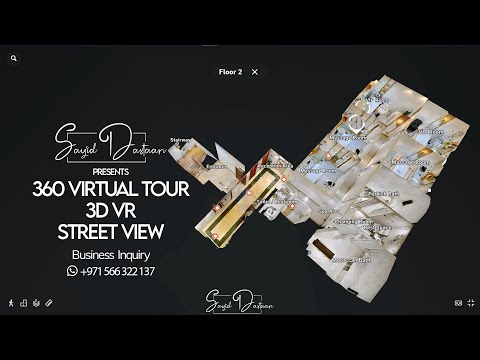
360 Virtual Tour 3D VR 360 Walkthrough Matterport The One Spa Abu Dhabi

360 Virtual Tour 3D VR 360 Walkthrough Matterport The One Spa Abu Dhabi Other videos with more in depth information about virtual tour creat...

Share now

Popular